Chat AnalyticsFor Windows

Every message, in context.

Turn any chat log into rich, interactive insights — peak minutes, chatter share, emote spikes, and auto-detected highlights.

  • Auto-detect highlight moments and replay-worthy spikes
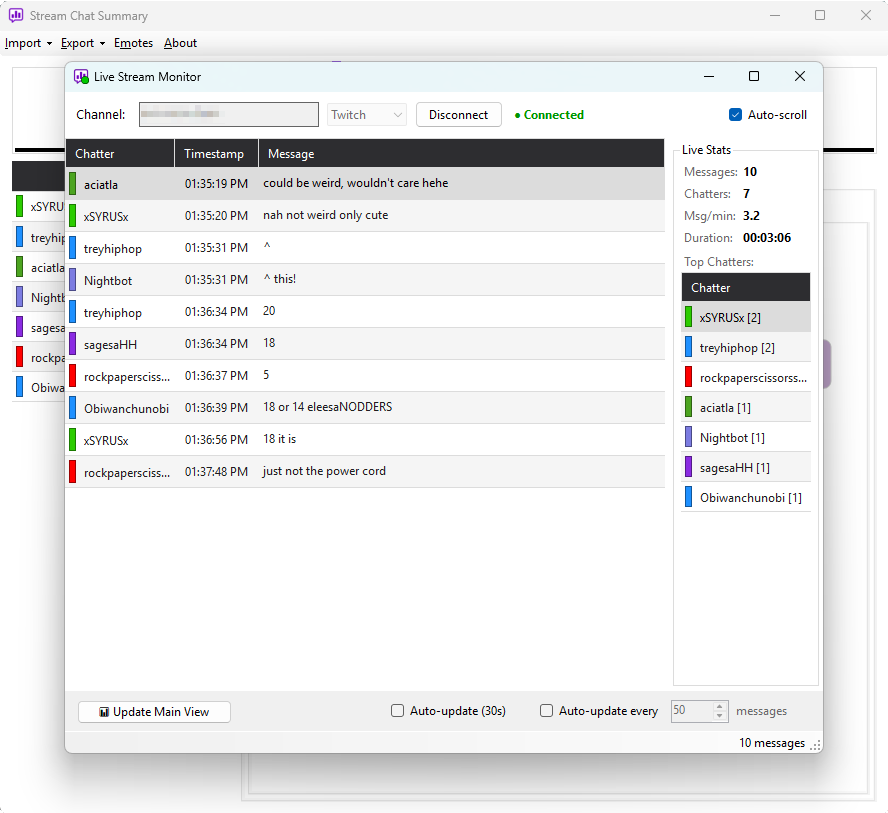
  • Live Stream Monitor — watch engagement grow in real time
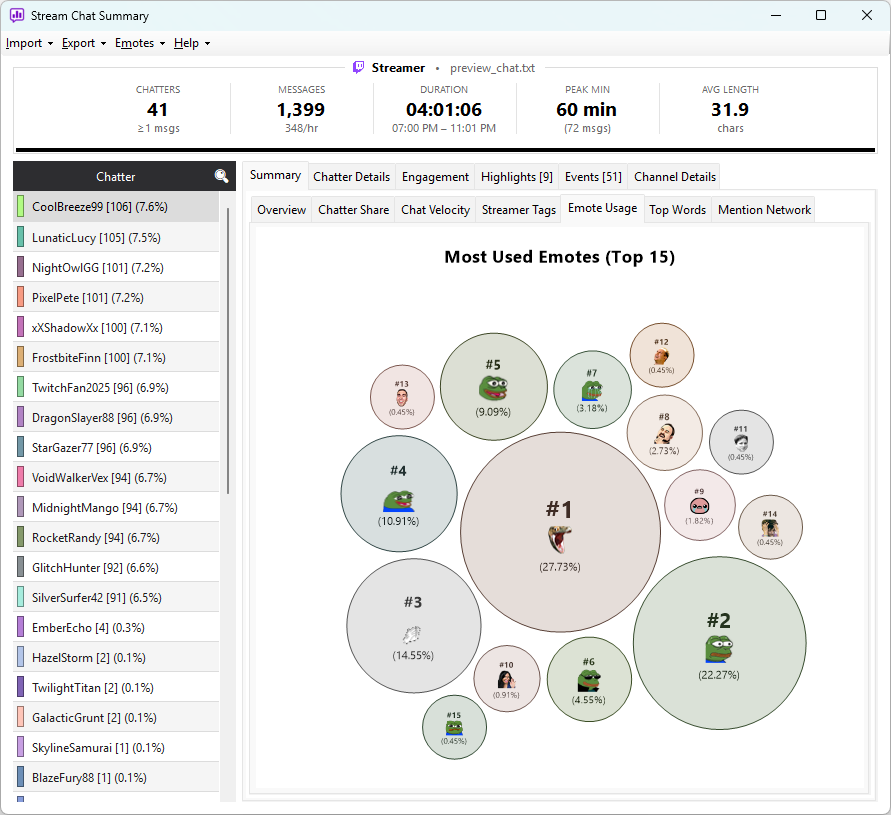
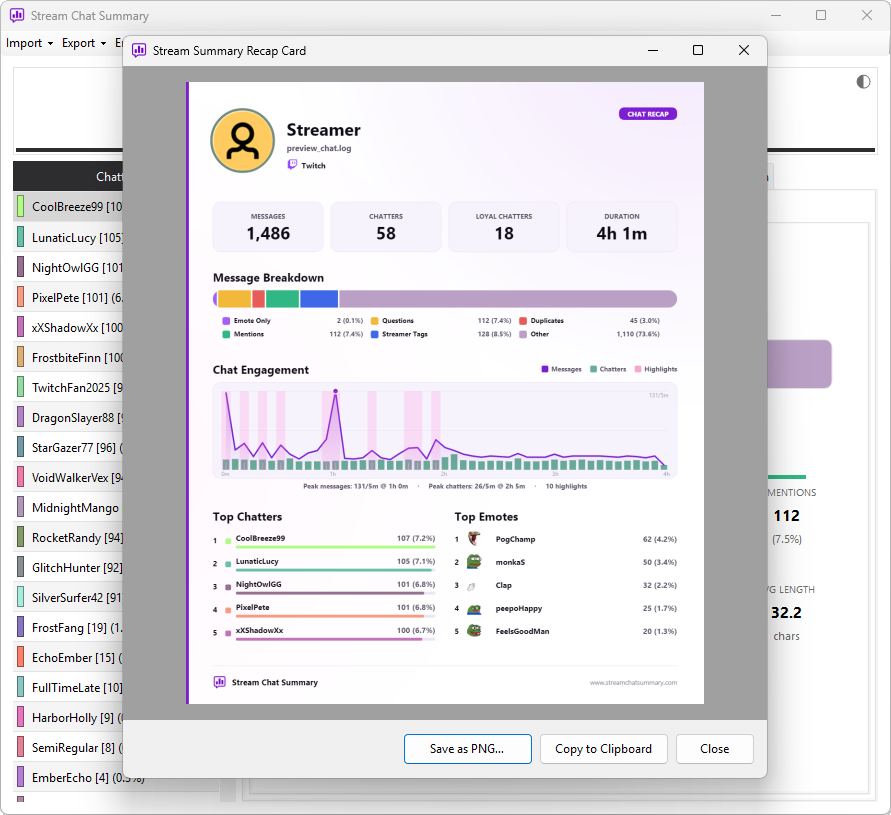
  • Top chatters, emotes, mentions and word usage at a glance
  • Runs locally — your logs never leave your PC
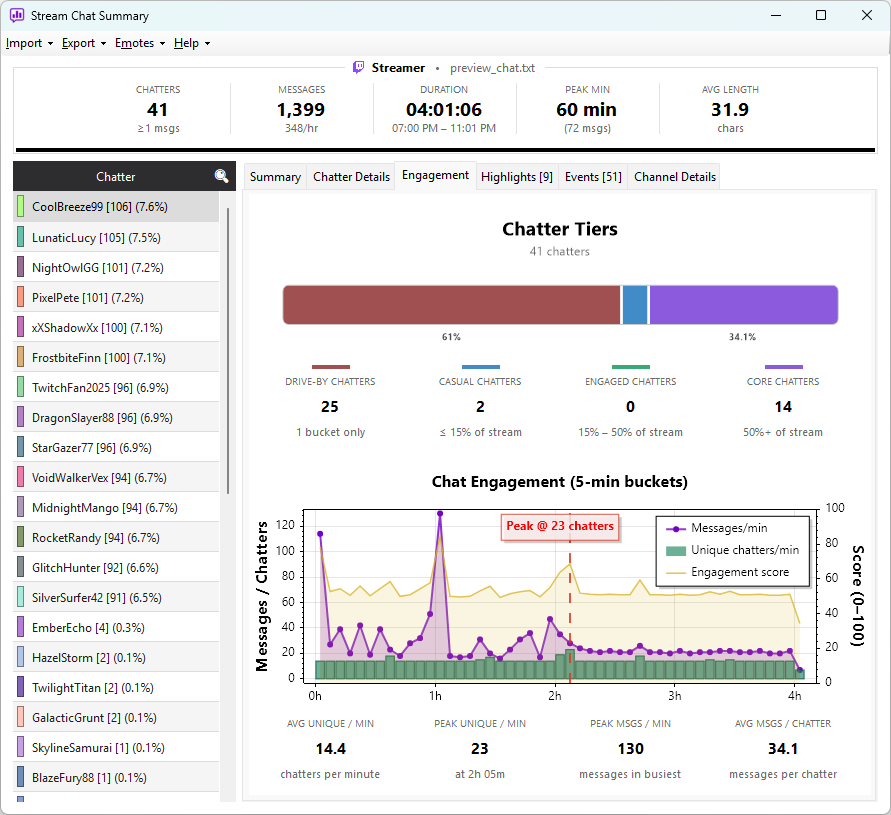
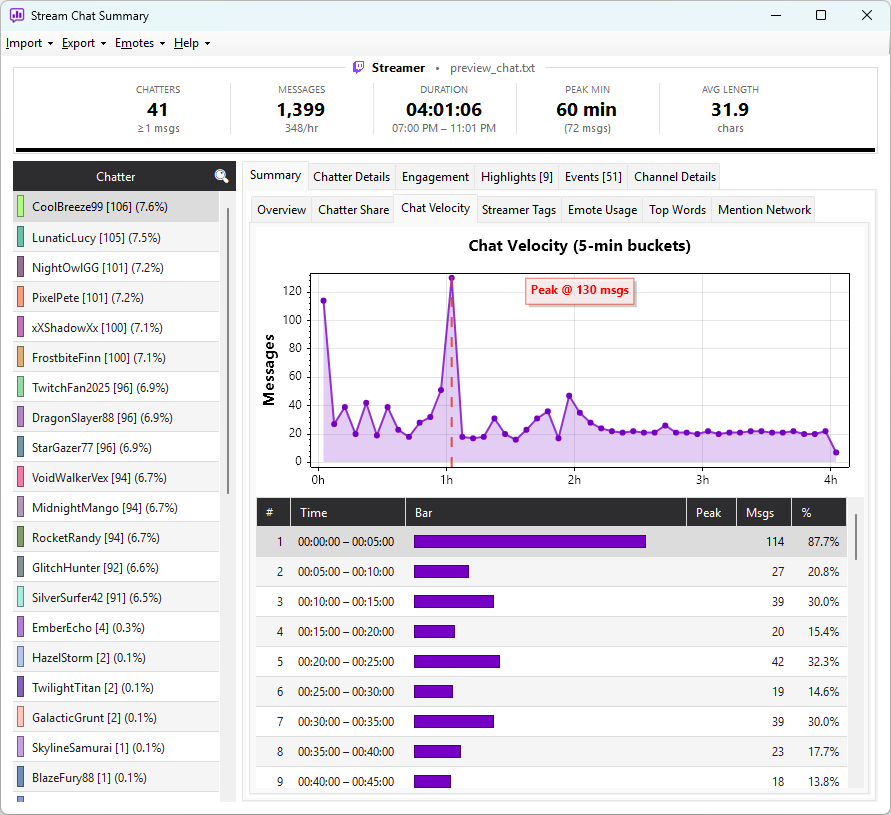
Message VelocityHighlightsEmote UsageMention NetworkLocal-first
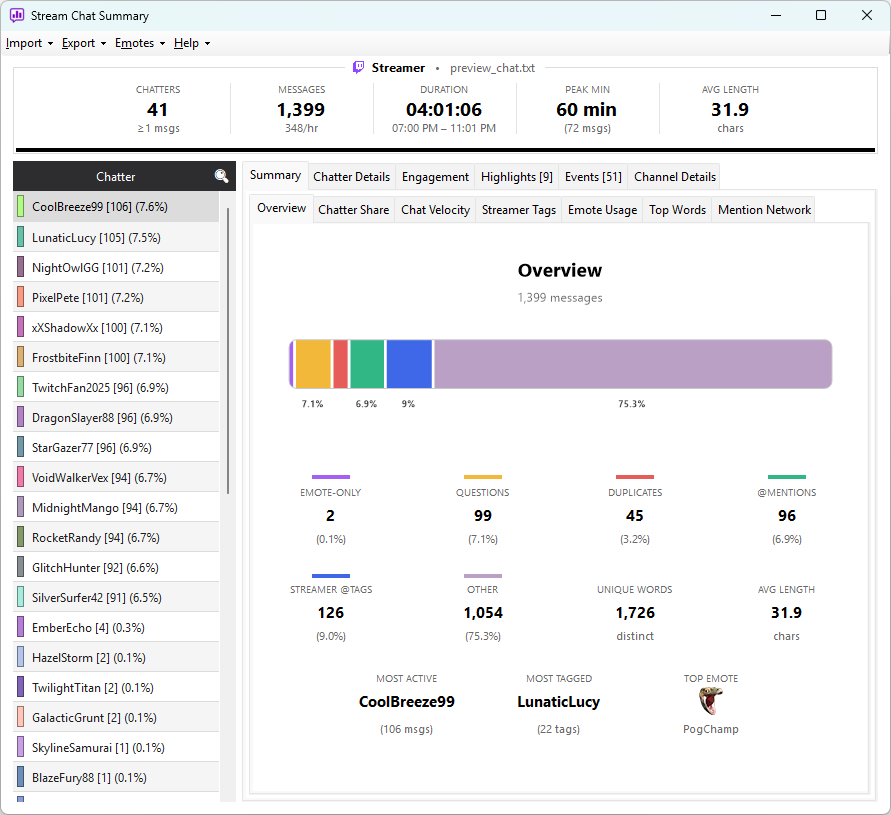
Stream Chat Summary app — overview tab with chatter list and stats cards
10 Highlights Detected1,486 Msgs · 58 Chatters4hrs Analysed
Features

Built for streamers who want to dig in.

Six core features — click any tab to preview it.

Highlights

Find the moments that mattered.

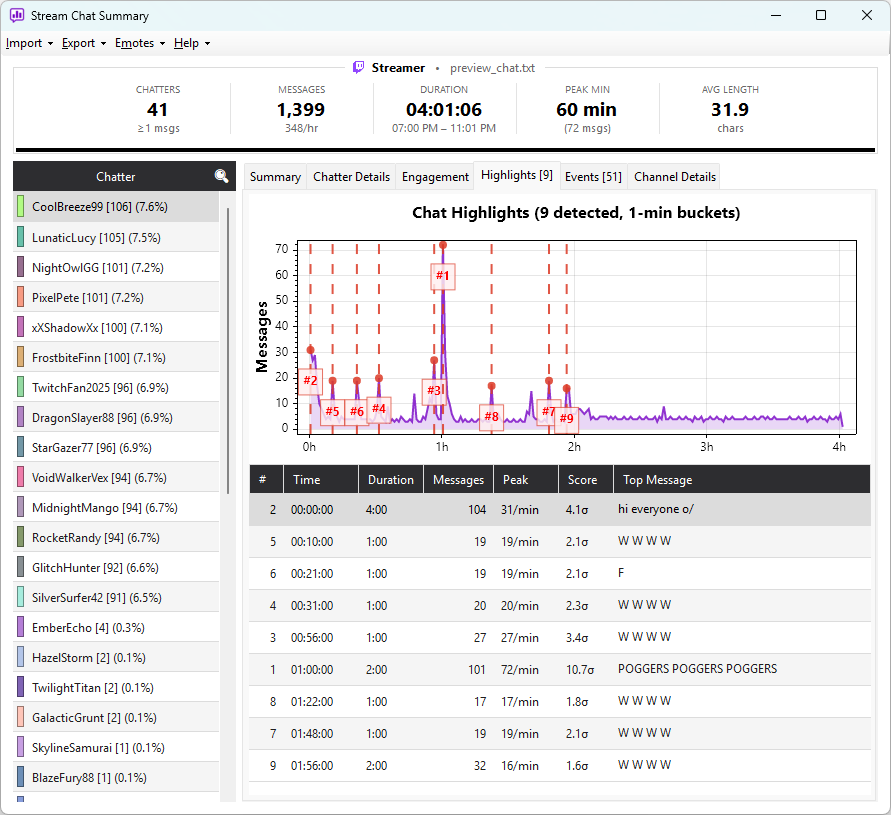
Scans your chat for activity spikes and ranks them by intensity — perfect for clipping VODs and reviewing community moments.

  • Detects spikes against the session baseline (σ ranking)
  • Each highlight shows time, duration, peak, score, and top message
  • Right-click a row to jump straight to that VOD timestamp
  • Tunable sensitivity, window size and max highlights
Highlights view with spike chart and ranked highlights tableClick to expand
Why it's different

Trackers count viewers. This reads the chat.

Stream Chat Summary is a chat analyzer for Twitch, Kick, and YouTube — not another channel tracker. Where viewership tools tell you how many people watched, this tells you what they actually said.

Message-level analysis

See who talks most, your top emotes, what your community talks about as a word cloud, and the chat spikes worth clipping — analysis of the messages themselves, not just viewer counts.

Runs on your PC

Everything happens locally on your machine. Your chat logs are never uploaded to a server or shared with anyone — private by design, and it works offline.

Buy once, own it

A one-time purchase on the Microsoft Store — no monthly subscription, no recurring fees. Pay once and keep it.

Import Sources

Bring chat in any way you like.

Four ways to load Twitch, Kick, and YouTube chat into Stream Chat Summary. Every stat, chart, and export works identically no matter where the chat came from.

One analyzer, every source.

Already saved a Chatterino log? Exported a CSV from Twitch Chat Downloader? Want to pull a finished VOD or watch a live stream as it happens? Load it once and get the same full analysis — top chatters, emote counts, word cloud, engagement tiers, and clip-worthy highlights.

  • No account or sign-in required to analyze a log
  • Files stay on your PC — nothing is uploaded
  • Re-import a VOD to pull deep-link timestamps
Chatterino log
.log file

Open any Chatterino-format chat log you already have saved on disk.

Twitch Chat Downloader
.csv export

Import a CSV exported from Twitch Chat Downloader, timestamps and all.

Twitch VOD URL
Paste & fetch

Paste a past-broadcast link and pull its full chat with VOD timestamps.

Live Monitor
Twitch · Kick · YouTube

Connect to any live channel and watch chat, events, and stats in real time.

FAQ

Questions, answered.

Everything you need to know about analyzing Twitch, Kick, and YouTube chat with Stream Chat Summary.

What is Stream Chat Summary?

Stream Chat Summary is a Windows app that analyzes stream chat. You import a chat log, a VOD, or connect to a live stream, and it shows you who talked most, your top emotes, a word cloud of what your community discussed, and the clip-worthy spikes in activity. It works with Twitch, Kick, and YouTube.

Which platforms does it support?

You can analyze chat from Twitch, Kick, and YouTube. Twitch VODs can be fetched directly from a URL, and the Live Monitor connects to any live Twitch, Kick, or YouTube channel in real time. Saved Chatterino logs and Twitch Chat Downloader CSV exports are also supported.

How do I analyze a Twitch VOD chat?

Paste the VOD (past broadcast) URL into the app and it fetches the full chat replay, including timestamps. Once imported, you can right-click any highlight or message to jump straight to that moment in the VOD.

Is my chat data uploaded anywhere?

No. Stream Chat Summary runs entirely on your PC. Your chat logs are never uploaded to a server or shared with anyone. The app also works offline once installed — your data stays private by design.

Do I need a Twitch, Kick, or YouTube account to use it?

No account or sign-in is required to import and analyze a chat log or VOD, or to connect the Live Monitor to a public channel. You just install the app and start importing.

How is this different from Twitch or Kick channel analytics?

Channel analytics tell you how many people watched. Stream Chat Summary reads the chat itself — it analyzes the actual messages to show who your most active chatters are, your most popular emotes, the words and community phrases that come up most, and when chat spiked. It is a chat analyzer, not a viewership tracker.

Does it show emotes from BetterTTV, 7TV, and FrankerFaceZ?

Yes. Real emote images from Twitch, Kick, BetterTTV (BTTV), 7TV, and FrankerFaceZ (FFZ) are rendered inline throughout the app, alongside YouTube proprietary emoji and standard emoji. Your top 20 emotes are shown with real images and usage counts.

Is it a subscription, or a one-time purchase?

It is a one-time purchase on the Microsoft Store. There is no monthly subscription and no recurring fees — you buy it once and own it.

Get on the Microsoft Store

Ready to see what your chat is really saying?

No account, no setup — install and import in under a minute.

Get on Microsoft Store