Welcome to Stream Chat Summary
Stream Chat Summary turns the firehose of a Twitch, Kick, or YouTube chat into something you can actually read. Import a VOD, capture a live stream, or open a saved log, and get peak-moment highlights, engagement breakdowns, emote analysis, and clean exports — all running locally on your PC.
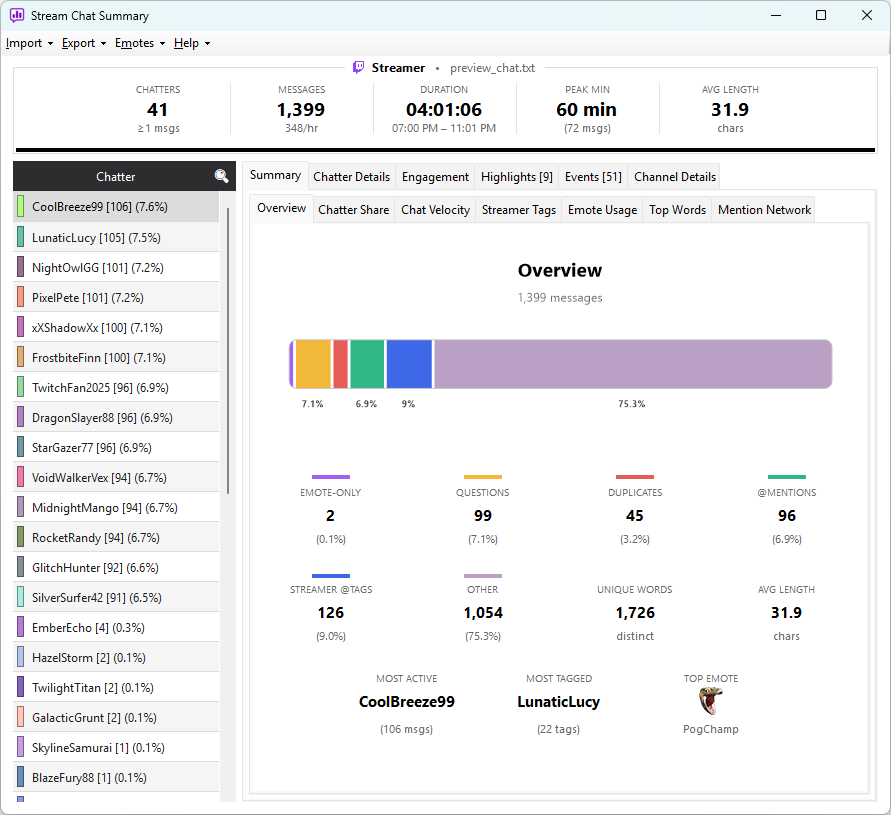
This guide walks you through everything: installing the app, every import source, every screen in the main window, what each statistic means, how emotes are managed, and how to share what you find.
Jump straight to Your first import — it takes about two minutes and you'll have a full summary on screen.
How this guide is organised
Getting Started — install the app, get a feel for it Importing Chat — Twitch VODs, live capture for Twitch/Kick/YouTube, Chatterino logs, CSV files The Interface — every panel, tab, and grid Stats & Analysis — what every number means and how it's computed Emotes — how Twitch, BTTV, 7TV, FFZ, Kick and YouTube emotes are loaded Sharing & Replay — exports, the Discord summary, and replay Reference — supported events, file locations, troubleshooting
A note on accuracy
This guide describes the current shipping version. Menu labels, column headings, and option names match what you'll see in the app. If something doesn't match, the docs are wrong — see Help → About inside the app for contact details and let us know.