Emote usage
A bubble chart of the most-used emotes across the whole log. Each recognised emote appears as a circle sized by how often it was used.
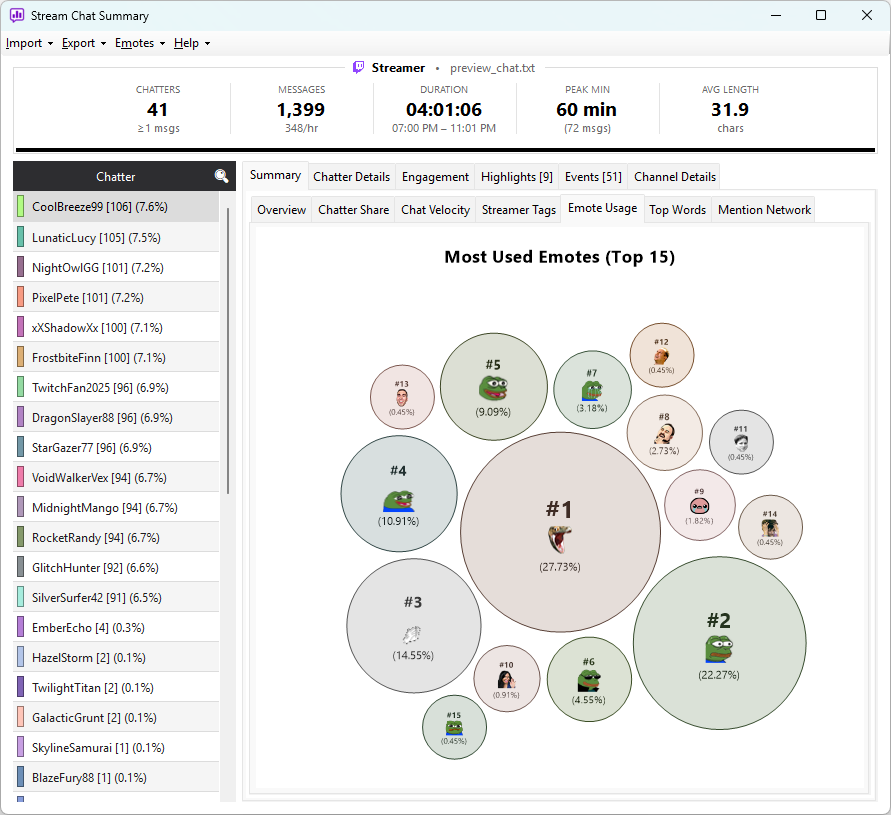
What you see
- Bubble size — how often the emote appeared in chat
- Bubble image — the rendered emote graphic
Hover any bubble for the exact usage count.
What appears on the chart
Emoji (😂 💀 🎉 etc.) always appear — they're recognised automatically with no setup needed.
Emote codes only appear if the app could identify them against a loaded source — globals plus any channel-specific sets you've added in the Emote Manager. Any code the app doesn't recognise is treated as plain text and doesn't appear on this chart at all.
That means a missing channel-specific source isn't visible here as a gap — it's just absent. Channel emotes like a streamer's BTTV / 7TV / FFZ sets only show up once you've added them.
Look at the Messages grid on the chatter details panel. If
recognisable codes (pog, kek, the streamer's custom emotes) are
rendering as plain text there, the relevant source isn't loaded.
Open the Emote Manager and add it — then
reimport to see those emotes counted on the bubble chart too.
See How emotes work for the full picture of which emote sets are loaded automatically and which need adding by hand.